
Ansible AWX Plugin - secret fetch by way of playbook using Universal Identity
Below, please find an example of using Ansible AWX with Akeyless Platform for fetching credentials, utilizing Akeyless Universal Identity.
Prerequisites
The section refers to changes that should be done in the awx machine (awx-task container).
-
Set akeyless-vault url in: VAULT_ADDR environment variable:
export VAULT_ADDR=https://hvp.akeyless.io -
You’ll need to configure the Akeyless temporary API token (this is the recommended and the more secure method). For token rotation, please read more here. The rotated token should be saved in this file
/var/lib/awx/.vault-token
Configuring AWX Plugin
To use the vault plugin, complete the following procedure:
-
Download this plugin and add it to your lookup_plugins directory as described in the link.
-
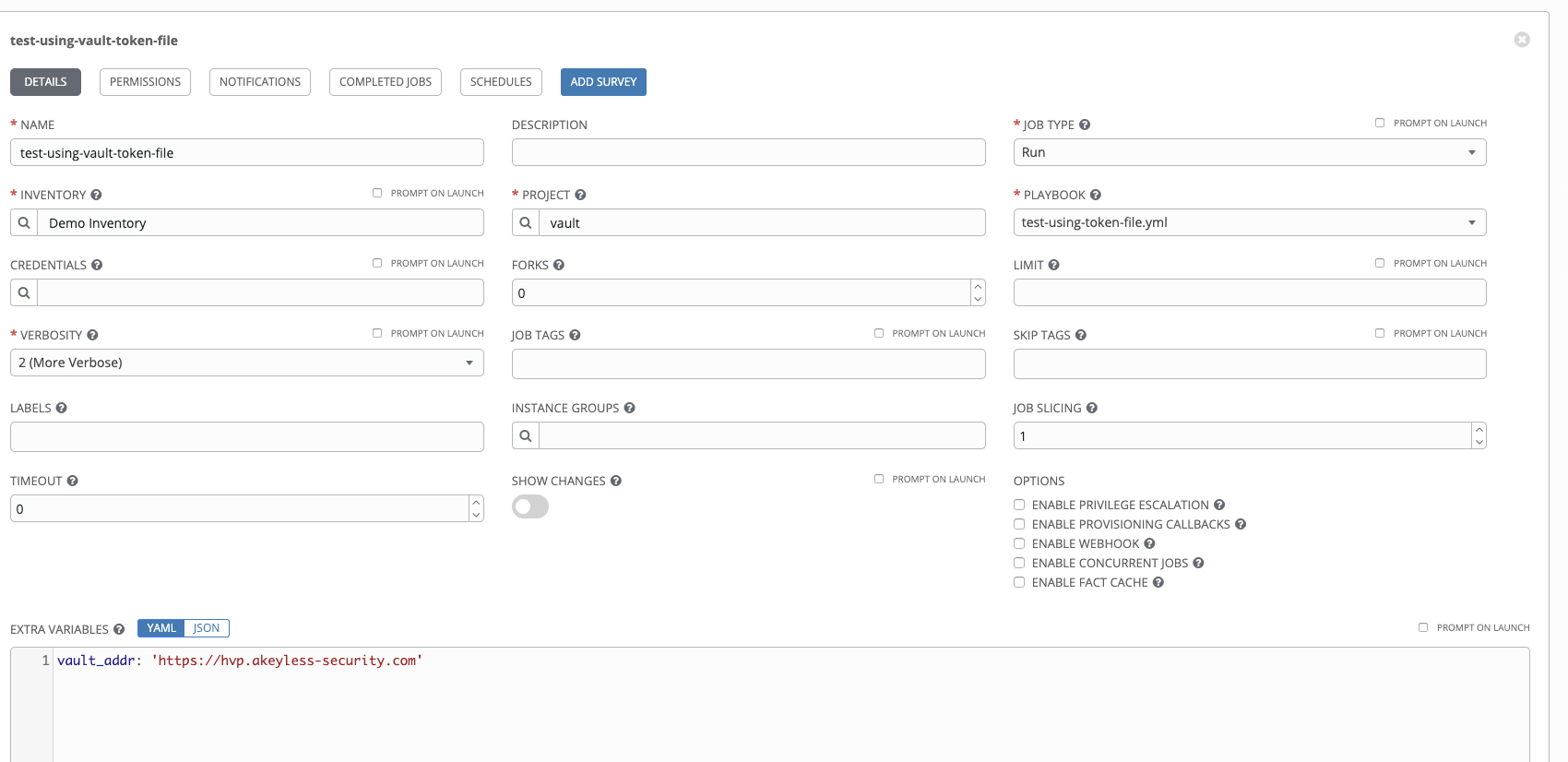
Create a new template, according to the below:
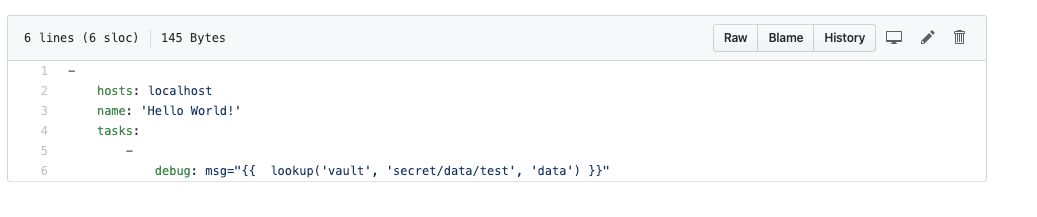
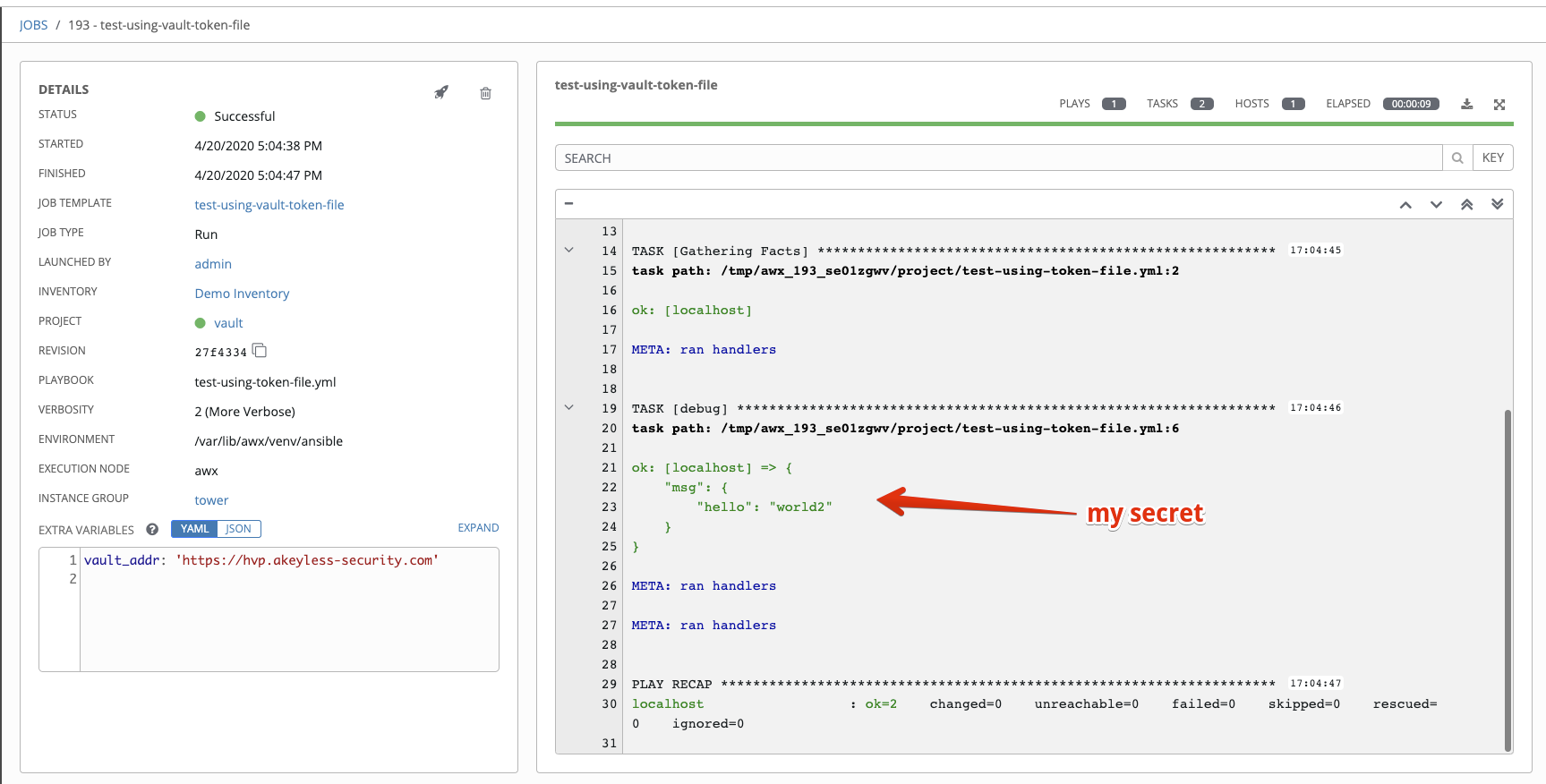
After successful job launch you will see the following:
For an additional ways to work with Ansible AWX, see Ansible AWX Plugin - secret fetch by way of playbook.
Updated 8 months ago