
Sync Secrets
The Akeyless Universal Secret Connector provides a powerful way to ensure that secrets remain synchronized across multiple external secret management solutions. Whenever a secret value is updated in Akeyless, the connector automatically ensures that the updated value is propagated to all integrated systems in real time, eliminating the need for manual synchronization.
Sync workflows are available for both Static Secrets and Rotated Secrets.
Prerequisites
-
Universal Secret Connector Item.
-
An Akeyless Gateway with Read permission on the associated USC and its target.
-
An Authentication Method with Read and Update permission on the Rotated Secret item, and Read permission on the associated USC.
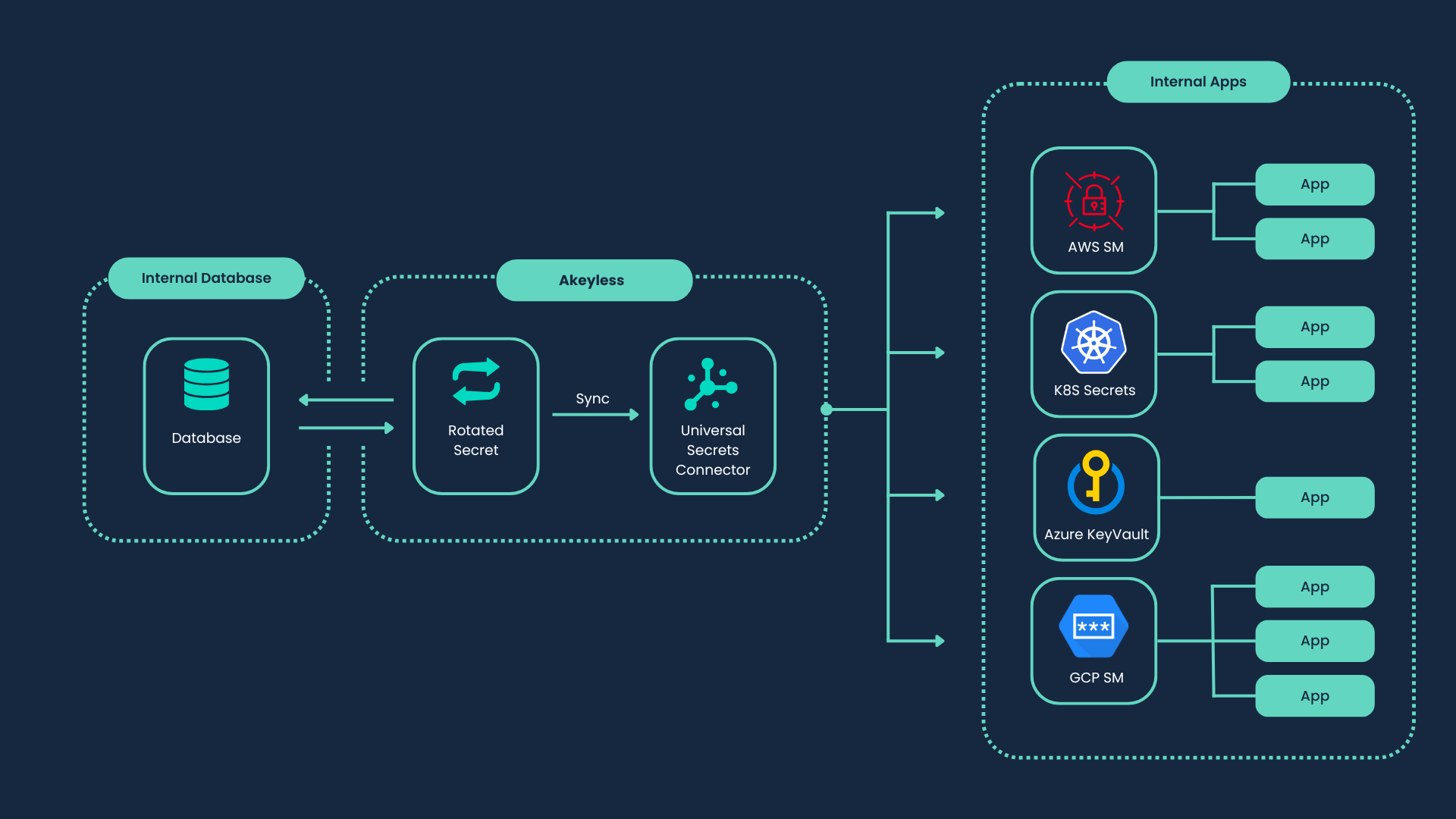
This solution makes managing secrets in remote endpoints more efficient and consistent, enabling a secure, centralized approach to secret lifecycle management.
Sync Entire Folder Contents
You can sync all supported secrets under a folder in one operation.
Use folder sync to create sync associations for folder contents, and folder sync-all to trigger sync for all folder associations:
akeyless folder sync --name </folder/path> --usc-name </usc-name>akeyless folder sync-all --name </folder/path>Use folder delete-sync to remove folder-level associations:
akeyless folder delete-sync --name </folder/path> --usc-name </usc-name>For complete flags and behavior details, see CLI Reference - Universal Secrets Connector.
Updated 4 months ago