
Security Health in the Extension
A scored view of your personal credentials — how reusable, how fresh, and whether any have
turned up in a public breach.
Personal items only. Corporate and team items are deliberately out of scope: your
personal security score should not move because a colleague reused a password in a shared
folder. The web console has its own, differently scoped Security Health page.
How the scan runs
Opening Security Health starts a scan. It cannot score what it has not read, so it fetches
each personal item's value, up to ten at a time.
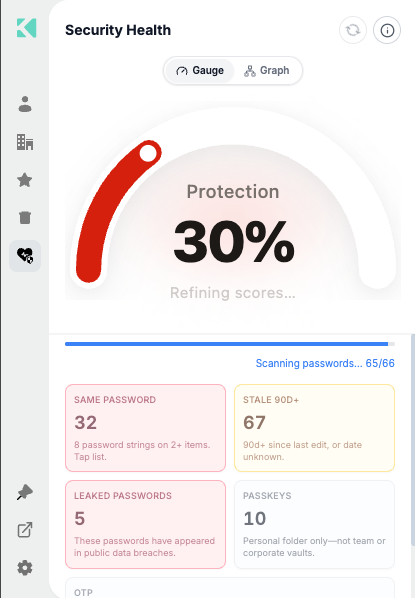
Progress is shown item by item, with the gauge still settling
| Stage | What you see |
|---|---|
| Listing | The gauge is indeterminate |
| Fetching | Scanning passwords… 65/66 and a progress bar |
| Settling | Refining scores… under the gauge |
| Done | A green bar and All personal items were scanned |
The gauge starts red and blends toward its true color as the scan completes, so an early
glance never reads as a real score. A single slow item cannot block the whole screen — each
fetch times out independently.
Results are cached for the session. Use the refresh icon to rescan, and the info icon
for an in-product explanation.
How the score is calculated
The protection score runs 0–100, from two pillars worth 50 points each.
Uniqueness (50 points)
Reduced by two independent problems, applied together:
| Factor | Effect |
|---|---|
| Reuse | The proportion of your password items sharing a password with at least one other item |
| Breach | The proportion matching the bundled leaked-password list |
Both are ratios of your total password count, so ten reused passwords out of ten costs far
more than ten out of a thousand.
Freshness (50 points)
The proportion of items — passwords and passkeys — updated within the last 90 days. An
item with no recorded date counts as stale.
Worked example
With 10 passwords, 3 of them reused and 1 breached, and 5 items fresh within 90 days:
| Pillar | Working | Points |
|---|---|---|
| Uniqueness | 50 × (1 − 0.30) × (1 − 0.10) | 31.5 |
| Freshness | 50 × (5 ÷ 10) | 25.0 |
| Total | 57 |
Special cases
| Case | Score |
|---|---|
| Empty vault | 100 |
| Lists not yet loaded | Indeterminate — no number shown |
Bands
| Score | Color |
|---|---|
| 0–35 | Red |
| 36–66 | Orange |
| 67–100 | Green |
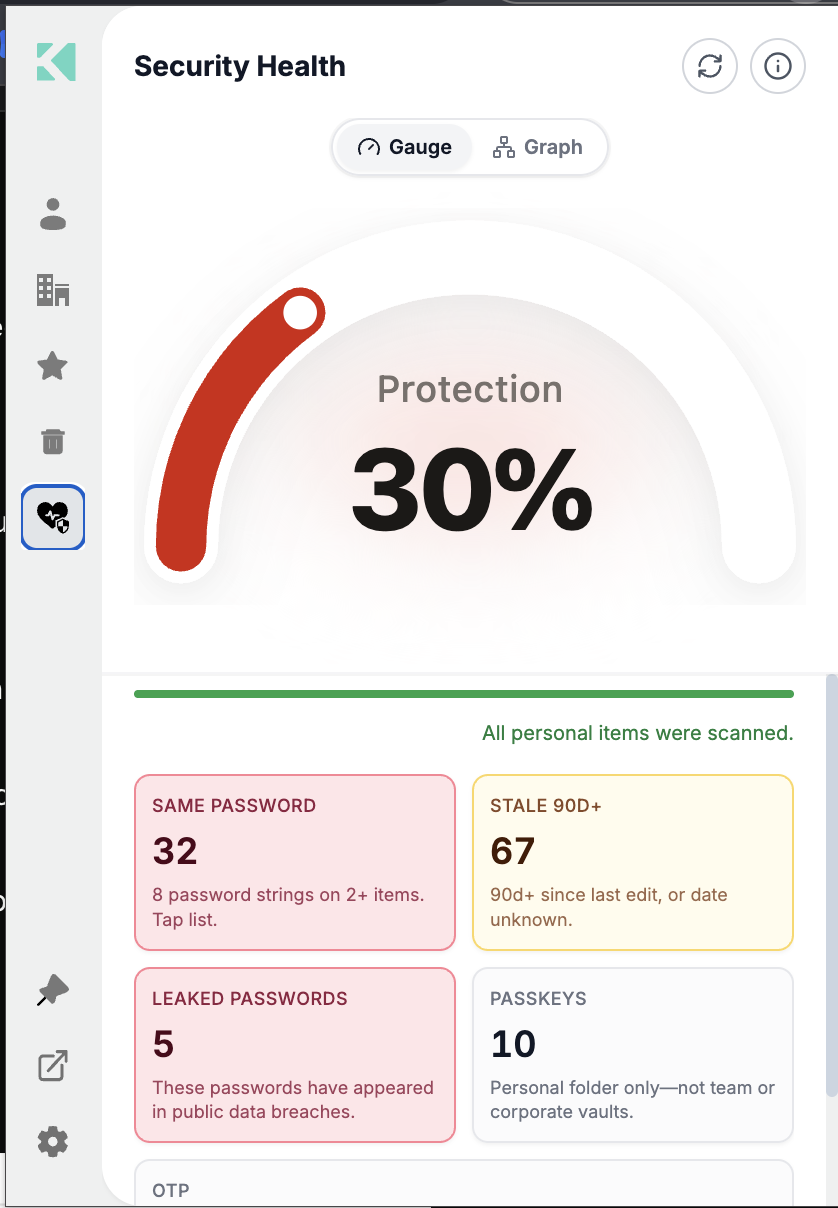
Gauge view
Switch to Graph to see each metric as a node, sized and colored by its contribution.
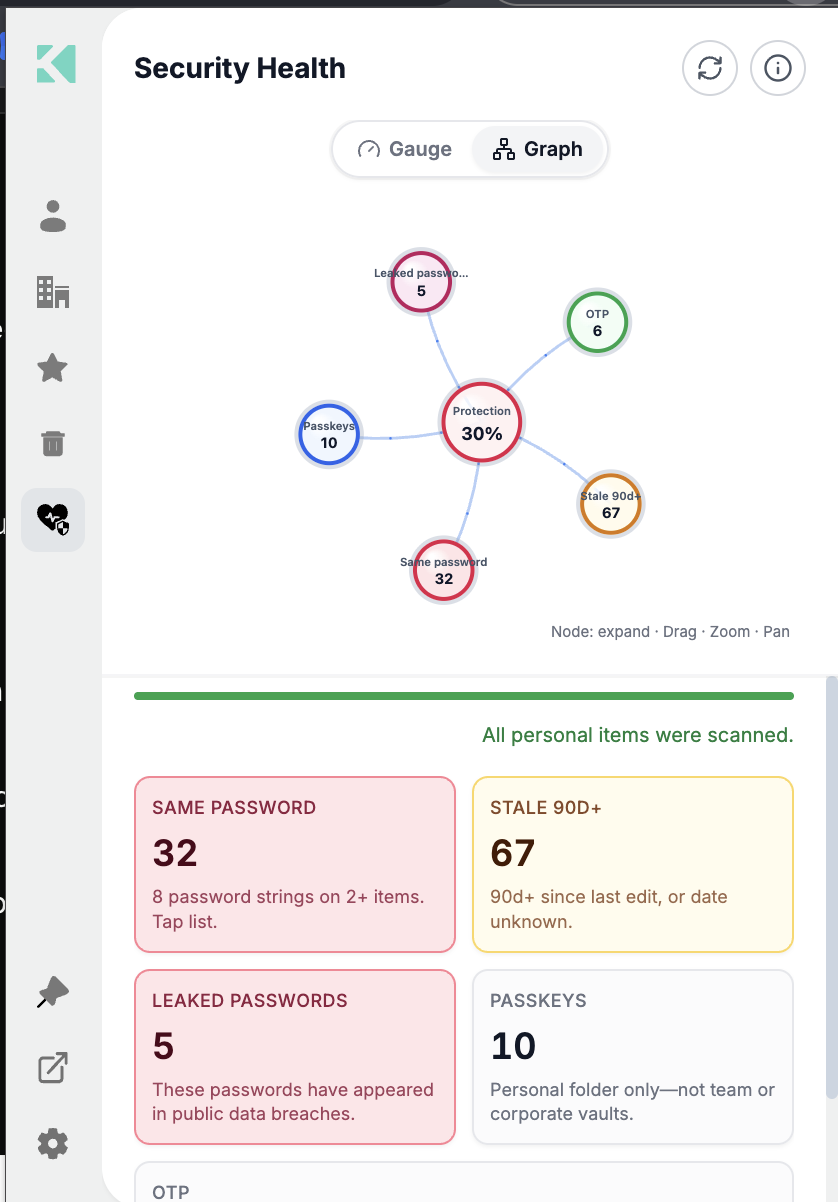
Graph view — drag, zoom and pan; select a node to expand it
The five metrics
| Tile | Counts | Affects score |
|---|---|---|
| Same password | Items sharing a password with at least one other | Yes |
| Stale 90d+ | Not edited in 90+ days, or with an unknown date | Yes |
| Leaked passwords | Found in public breach data | Yes |
| Passkeys | Passkeys in your personal folder | No |
| OTP | Items carrying an otpauth URI or an OTP field | No |
Passkeys and OTP are reported because they are good signals to act on, but they do not move
the number — adding a passkey should not compensate for a reused password.
Select any tile to open the list of items behind it.
The breach check runs offline
Passwords are compared against a filter bundled inside the extension. No password, and
no hash of one, is sent anywhere — not to Akeyless, not to any third-party breach service.
The check is one-directional: a flagged password is definitely in the leaked set; an unflagged
one is probably not.
Acting on the results
| Finding | Do this |
|---|---|
| Leaked | Change it at the source, then update the item — highest priority |
| Same password | Generate a unique one per item with the password generator |
| Stale 90d+ | Rotate the ones that matter; a long-lived password on a dormant account matters less |
| No OTP | Add an authenticator where the site supports it — see Adding and Using One-Time Passwords |
If it shows nothing
Security Health covers personal items only, and is hidden entirely when the Personal area is.
See Account Policies Affecting the Extension.
Related
Updated 21 days ago