
Desktop Settings
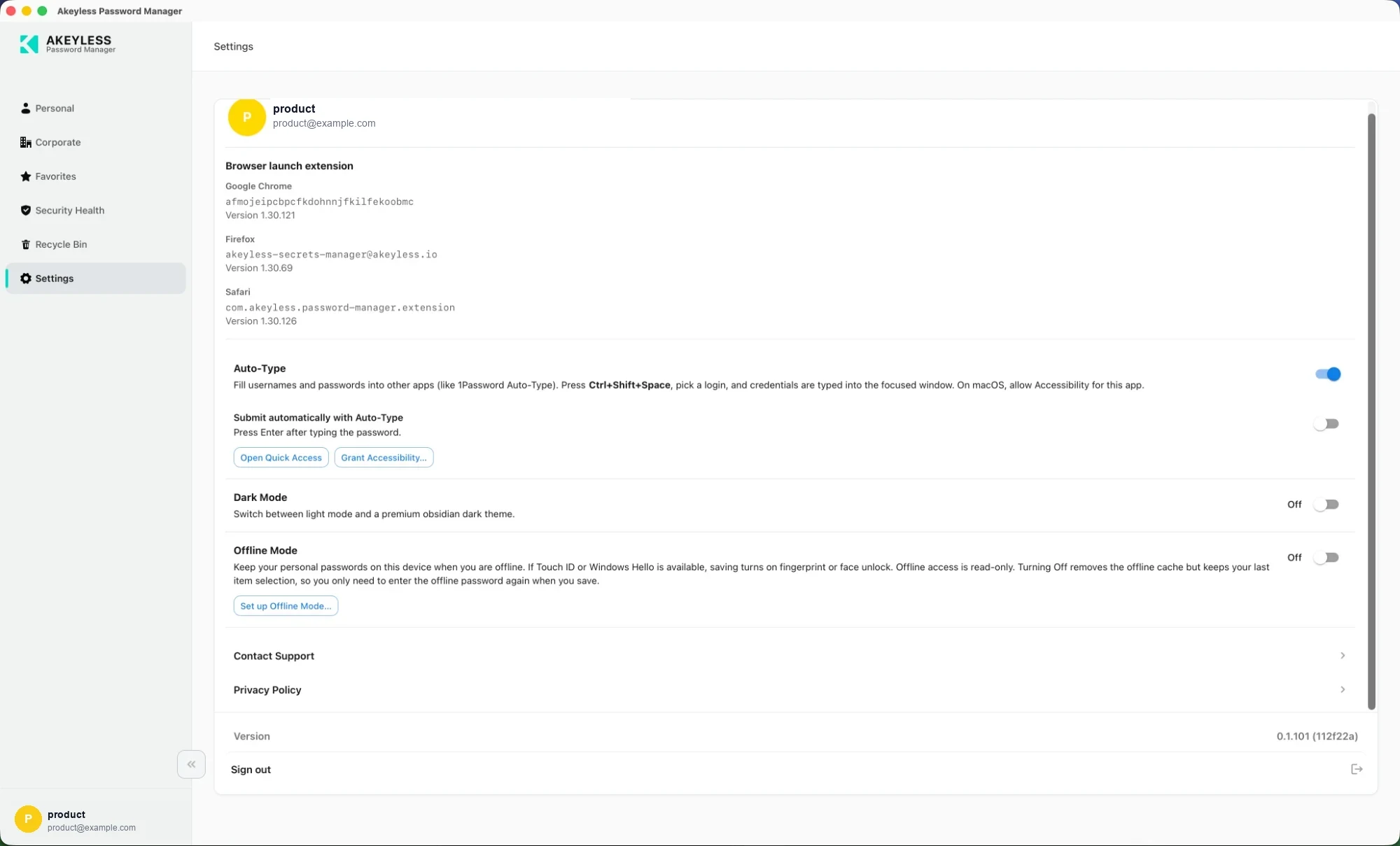
Account, browser extensions, Auto-Type, theme, Offline Mode and links
Account
The card header shows the account you are signed in as. The same identity appears at the
bottom of the sidebar — replaced by Offline vault / Read-only when you are offline.
Browser launch extension
The app detects the Akeyless browser extension in each supported browser and reports what it
found:
| Browser | Shown |
|---|---|
| Google Chrome | Extension ID and version |
| Firefox | Extension ID and version |
| Safari | Bundle ID and version |
This is what makes Launch work from the desktop app: opening an item's website hands the
credential to the browser extension, which fills the sign-in form.
A browser with no version listed has no Akeyless extension installed, or one the app could
not reach. Install it from
the downloads page and restart the app.
Versions can legitimately differ between browsers — each store approves updates on its own
schedule.
Auto-Type
| Setting | Does |
|---|---|
Auto-Type | Types credentials into other applications via Ctrl+Shift+Space |
Submit automatically with Auto-Type | Presses Enter after the password |
| Open Quick Access | Opens the picker without the shortcut |
| Grant Accessibility… | macOS — opens the Accessibility pane the feature requires |
See Auto-Type and Quick Access.
Dark Mode
Switches the interface between the light and dark themes.
Off by default, stored on this device, and it survives signing out.
Offline Mode
Keep your personal passwords on this device when you are offline. If Touch ID or Windows
Hello is available, saving turns on fingerprint or face unlock. Offline access is read-only.
Turning Off removes the offline cache but keeps your last item selection, so you only need
to enter the offline password again when you save.
Set up Offline Mode… opens the setup dialog — or Update password & items… once it is
configured.
See Offline Mode.
Links
| Link | Goes to |
|---|---|
| Contact Support | Your organization's support channel when configured, otherwise Akeyless support |
| Privacy Policy | Your organization's policy when configured, otherwise the Akeyless policy |
Version and Sign out
The footer shows the app version with its build hash — for example 0.1.101 (112f22a). Quote
it when contacting support; it identifies the exact build.
Sign out ends the session. It does not remove the offline cache — turn Offline Mode
off for that.
Related
Updated 21 days ago