
Personal Secrets
Your own vault. Items only you can see — nobody else in your organization has access,
including administrators.
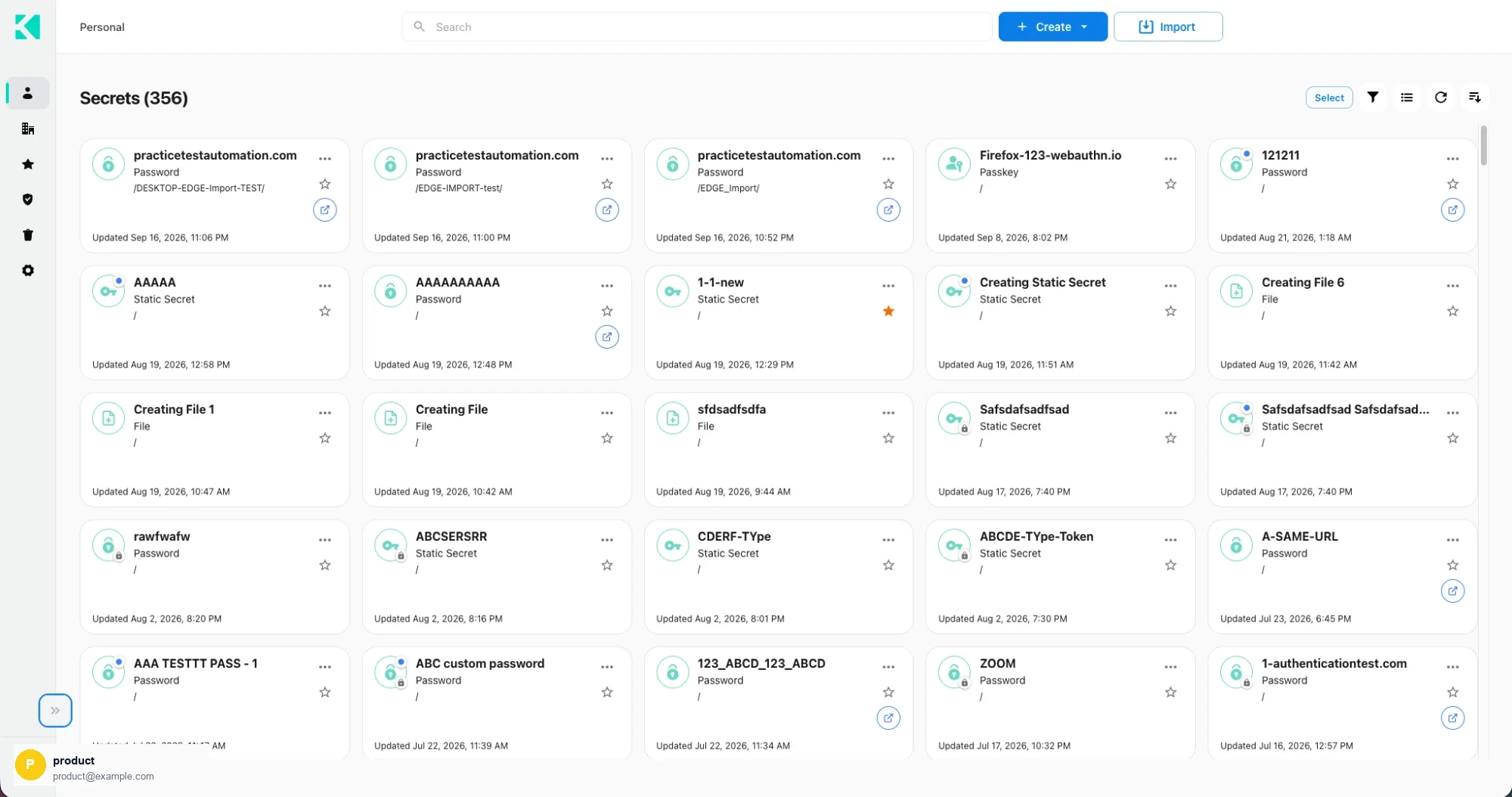
The Personal area in card view
What lives here
| Type | Notes |
|---|---|
| Password items | Username, password, website URLs, OTP, custom fields |
| Secret items | Values in Text, Key/value or JSON format |
| File items | Files up to 10 MB each, against your account's file quota |
| Passkeys | Only stored here — never in Corporate |
| Folders | To organize any of the above |
Personal vs Corporate
| Personal | Corporate | |
|---|---|---|
| Who can see it | Only you | Everyone with vault access to the folder |
| Passkeys | Yes | No |
| File items | Yes | No |
| Security Health | Covers this area | Not covered |
| Governed by | Your account | Vault permissions per item |
Row indicators
| Indicator | Meaning |
|---|---|
| Blue dot on the type icon | The item carries an OTP authenticator |
| Lock on the type icon | Delete protection is on |
| Star | Favorited — orange when active |
| Launch button | The item has a website URL and can be opened through the extension |
Multi-select
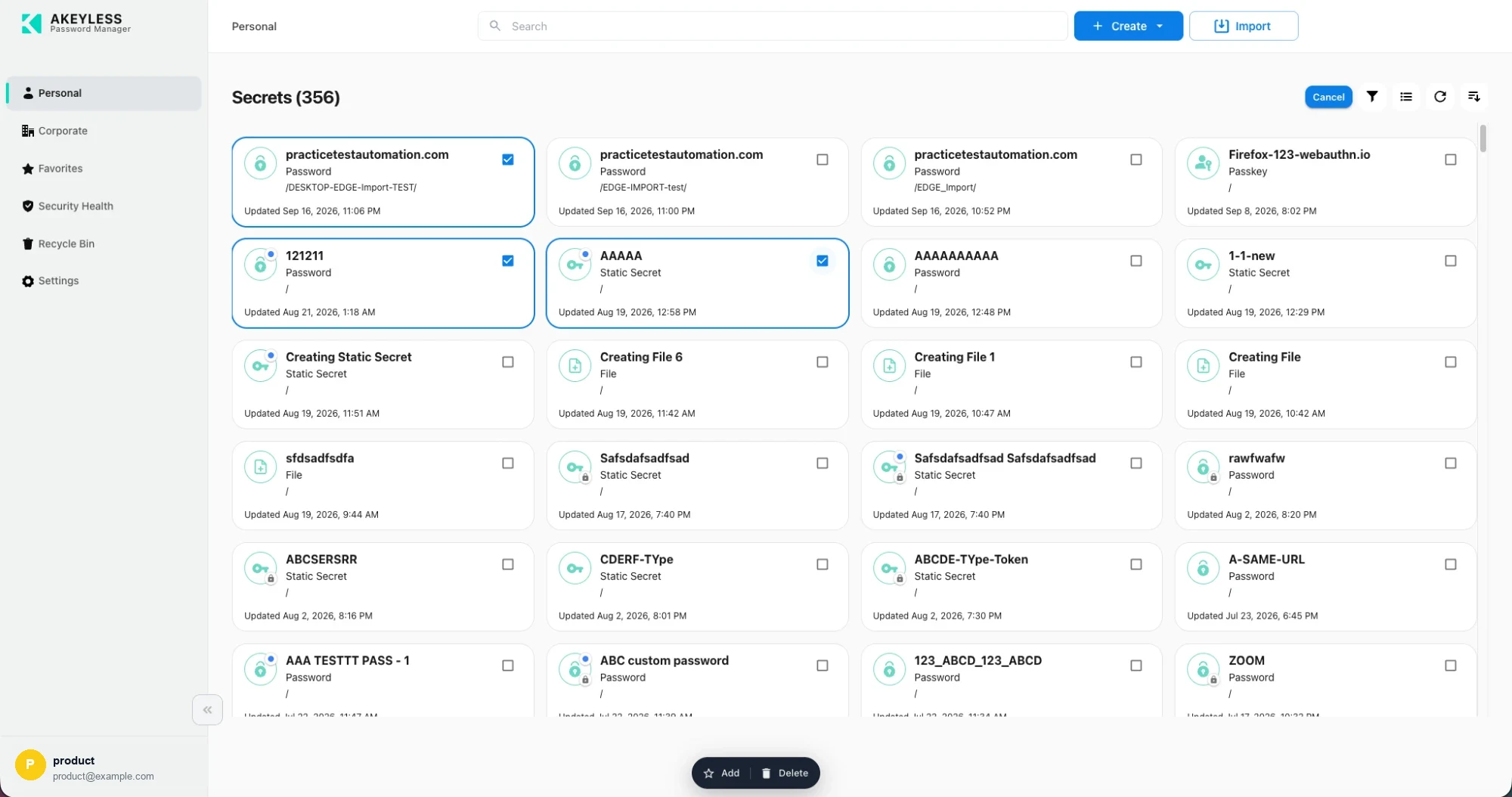
Selected items, with Add and Delete in the floating bar
Select Select in the toolbar and checkboxes appear on every row or card.
| Action | Does |
|---|---|
| Add | Adds everything selected to Favorites |
| Delete | Moves everything selected to the Recycle Bin |
| Cancel | Leaves multi-select and clears the selection |
Selection spans pages — tick items on page 1, move to page 2, and the earlier ticks are kept.
Delete-protected items are skipped by a bulk delete. The rest proceed and the protected item
stays. Clear its delete protection first.
When the Personal area is missing
The Personal area is hidden when any of these apply:
- Password management is disabled on your account
- Your account hides the personal folder
- You signed in with an API-key style credential
- On DBK tenants, your session's product types do not include
apmHiding Personal also hides Security Health, which scores personal items only.
Related
Updated 22 days ago
Did this page help you?