
Viewing Options: Cards, List, Sort, Filter and Pagination
Every vault area shares the same toolbar. The controls sit at the top right, above the item
count.
| Control | Does |
|---|---|
| Select | Enters multi-select mode |
| Filter (funnel) | Filters by item type |
| View (grid/list icon) | Switches between card and list view |
| Refresh | Reloads from the vault |
| Sort | Changes the ordering |
The heading always shows the total — Secrets (356) — so you know the size of what you are
browsing even when paginated.
Card view
Items as tiles, four across. Each card carries the item name, its type, its folder path, the
last-updated timestamp, a favorite star, a ⋯ actions menu, and — where the item has a
website URL — a launch button that opens the site through the browser extension.
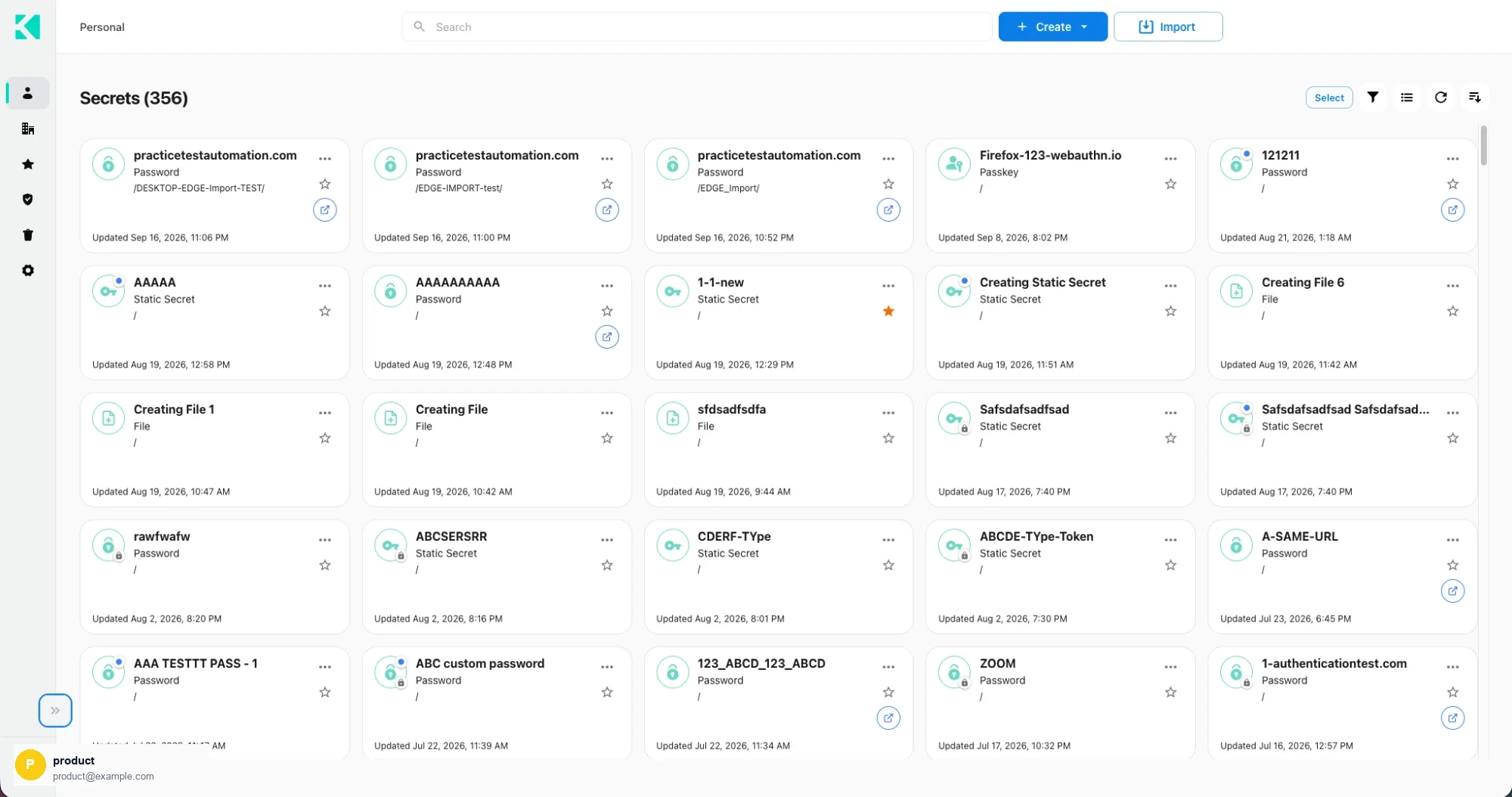
Card view
Cards suit browsing and recognition: the type icon and the update time are both visible
without hovering.
List view
A dense table with sortable columns.
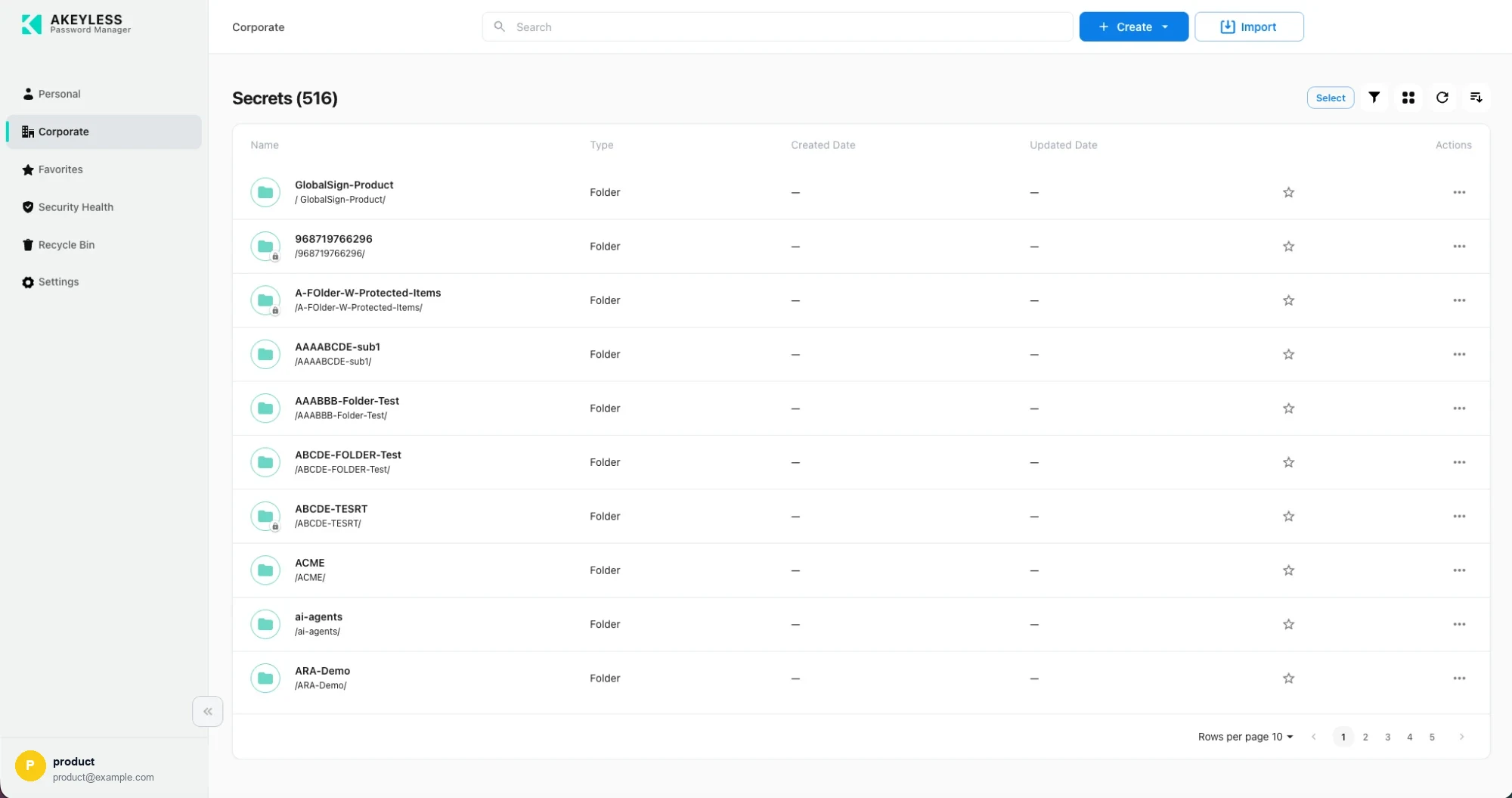
List view, showing folders in the Corporate area
| Column | Shows |
|---|---|
| Name | Item name with its full path beneath |
| Type | Folder, Password, Static Secret, Rotated Secret, Dynamic Secret, File, Passkey |
| Created Date | When the item was created — — for folders |
| Updated Date | When it last changed |
| Actions | Favorite star and the ⋯ menu |
List view suits comparison and bulk work: more rows per screen, and dates lined up for
scanning.
Your choice of view persists as you move between Personal, Corporate and Favorites, so you
do not have to re-pick it each time.
Sorting
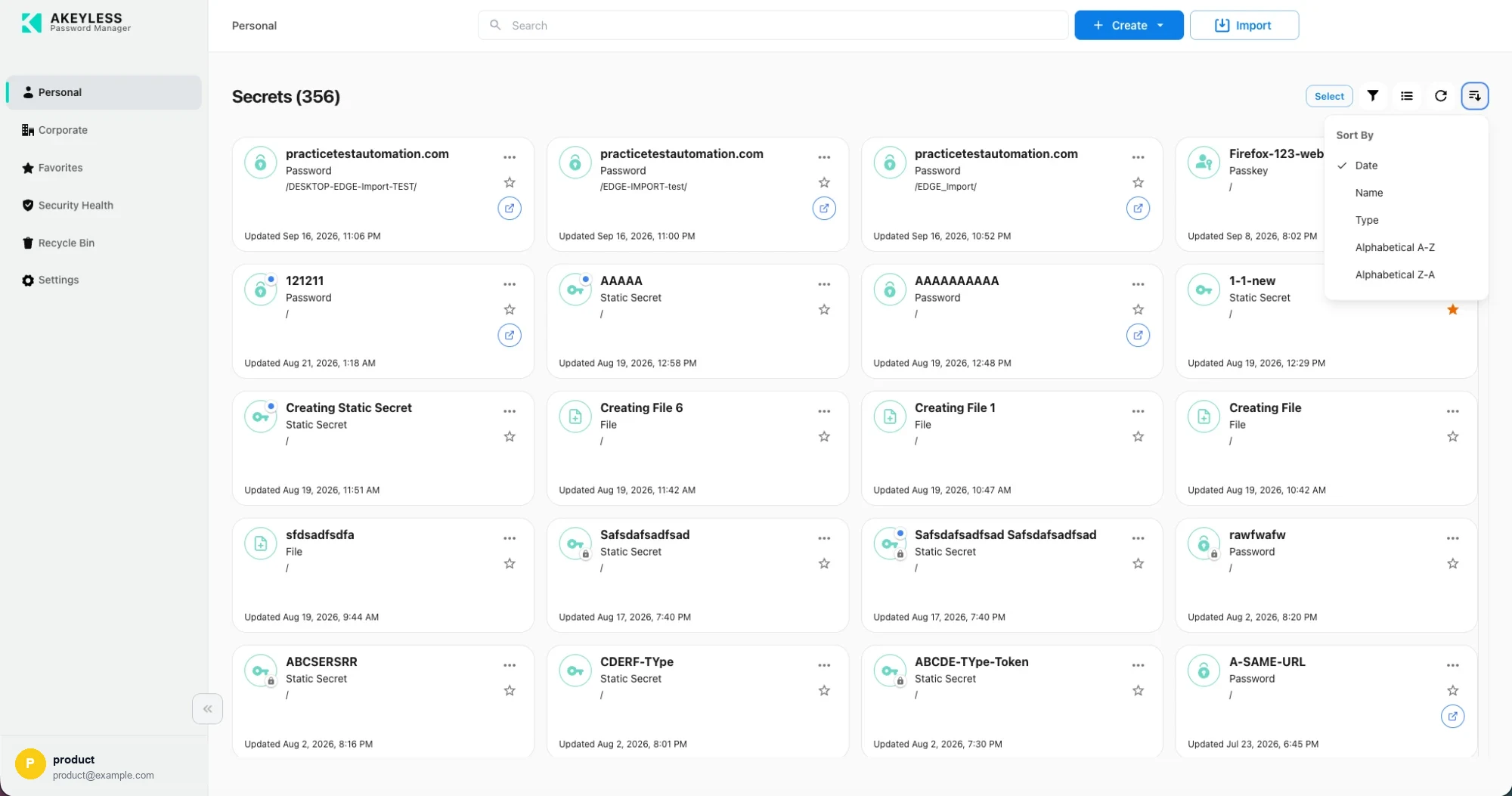
Five sort options
| Option | Orders by |
|---|---|
| Date | Most recently updated first — the default |
| Name | Item name |
| Type | Groups folders, passwords, secrets, files and passkeys together |
| Alphabetical A-Z | Ascending by name |
| Alphabetical Z-A | Descending by name |
The active option carries a tick.
Filtering by type
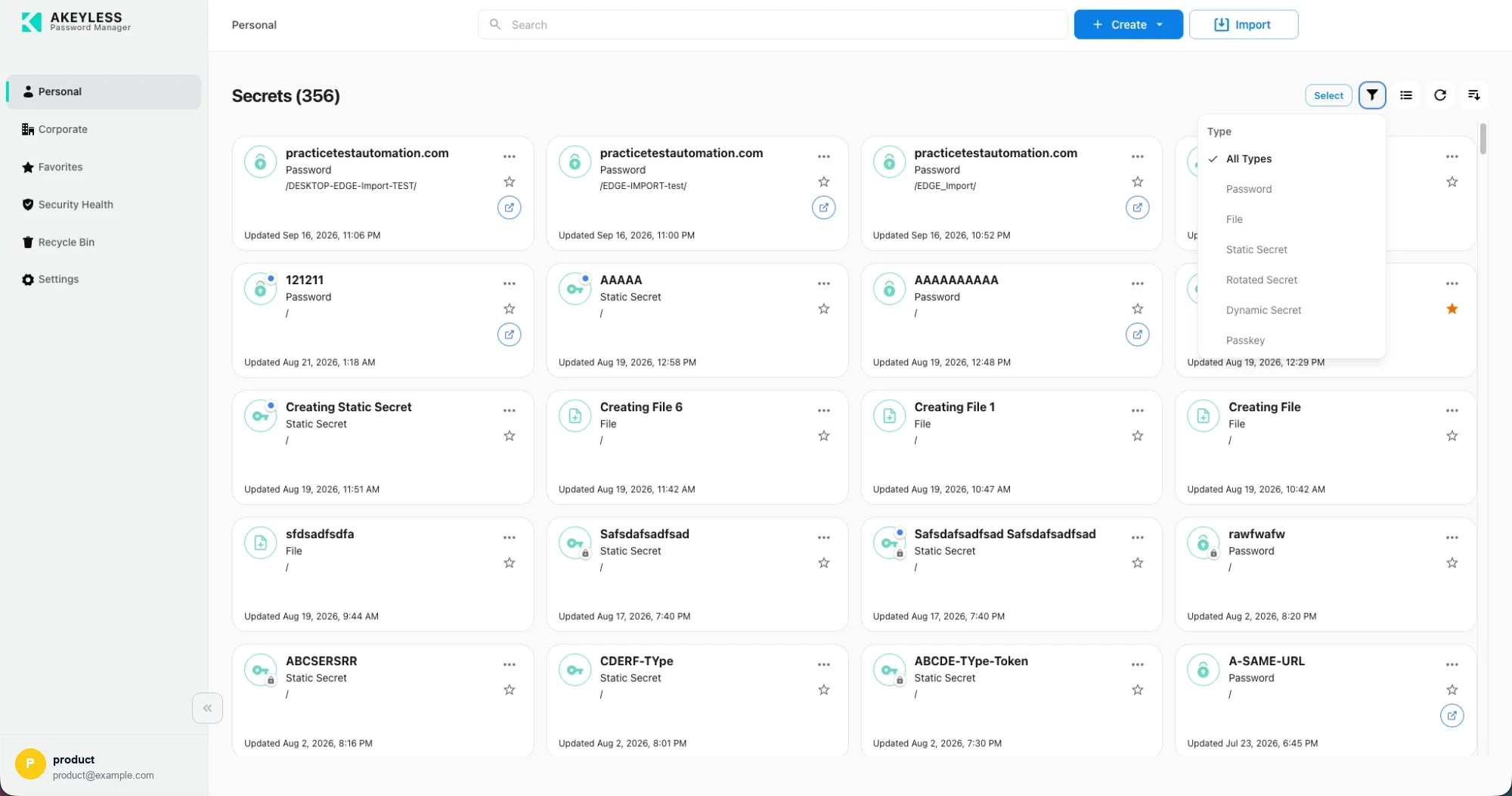
Filter by item type
| Filter | Shows |
|---|---|
| All Types | Everything — the default |
| Password | Password items |
| File | Files stored in the vault |
| Static Secret | Free-form secret values |
| Rotated Secret | Secrets rotated on a schedule |
| Dynamic Secret | Credentials generated on demand |
| Passkey | WebAuthn credentials |
Two entries are conditional:
| Entry | Hidden when |
|---|---|
| Passkey | Your account disables passkeys |
| File | You are in the Corporate area — files are personal-only |
The filter persists across areas. It stays applied as you move between Personal,
Corporate and Favorites, and between card and list view, for as long as you stay signed in.
If a list looks emptier than you expect, check the funnel before concluding an item is
missing. Signing out clears it.
Pagination
Long lists page rather than scrolling forever. The bar sits at the bottom right.
| Control | Does |
|---|---|
| Rows per page | 5, 10, 20 or 50 — default 10 |
| Page numbers | Jump to a page directly |
| ‹ / › | Previous and next page |
Changing the rows-per-page value returns you to the first page.
Searching
The search box runs across the top of every area. It queries the vault rather than filtering
only what is on screen, so it finds items in folders you have not opened.
Search combines with the type filter: results respect whatever filter is active.
Related
Updated 21 days ago