
Corporate Secrets
Items shared across your organization. What you see and what you can do is governed by your
vault permissions, not by console settings.
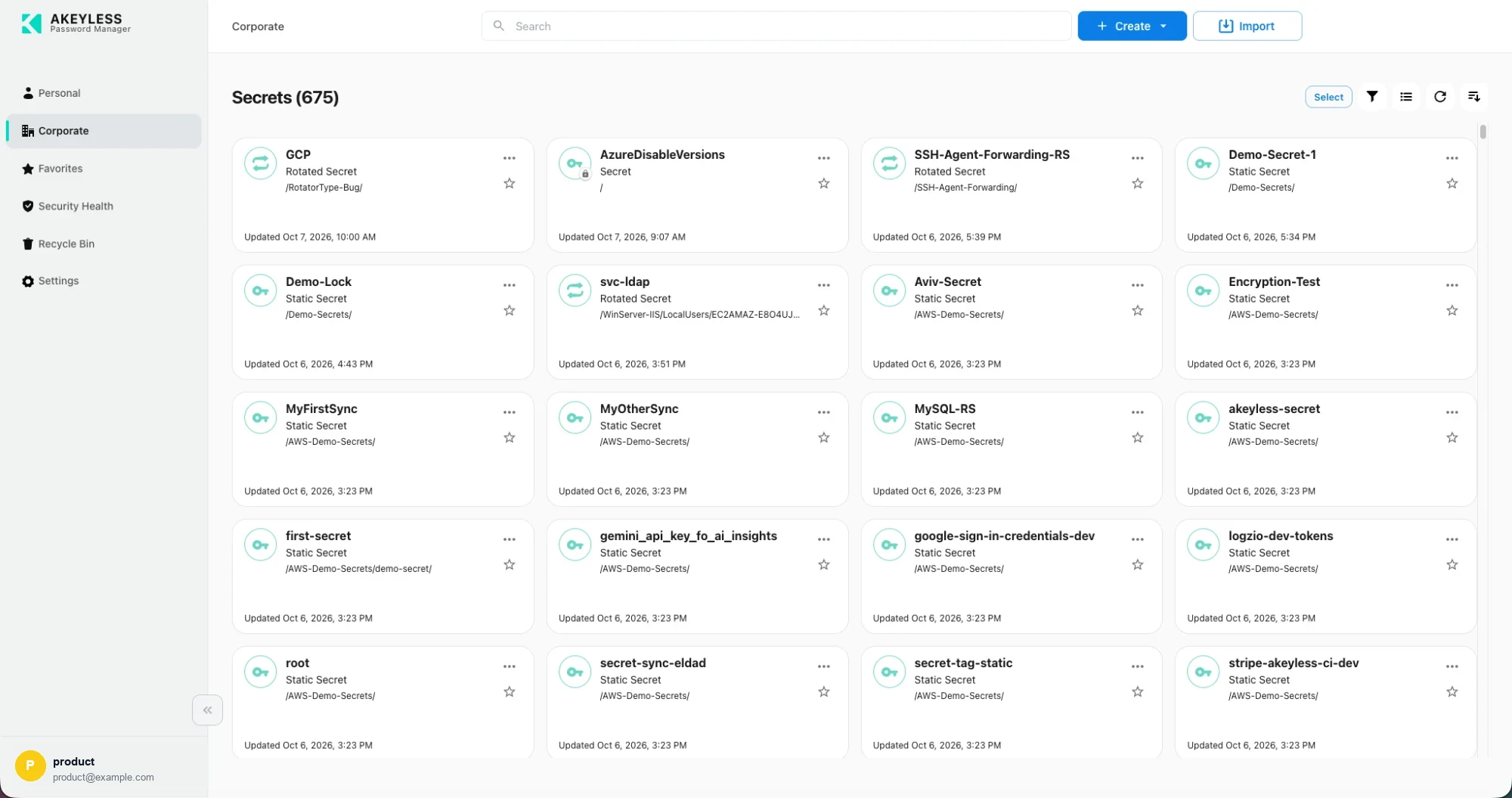
The Corporate area — 675 items
What lives here
| Type | Notes |
|---|---|
| Password items | Shared logins |
| Secret items | API keys, connection strings, certificates |
| Rotated secrets | Rotated on a schedule by Akeyless; the value is read-only |
| Dynamic secrets | Generated on demand, with producer status and TTL |
| Folders | Mirroring your team or environment structure |
Passkeys and file items are personal-only. Neither appears in Corporate, and both are
absent from the Corporate type filter and the Corporate create menu.
Folders
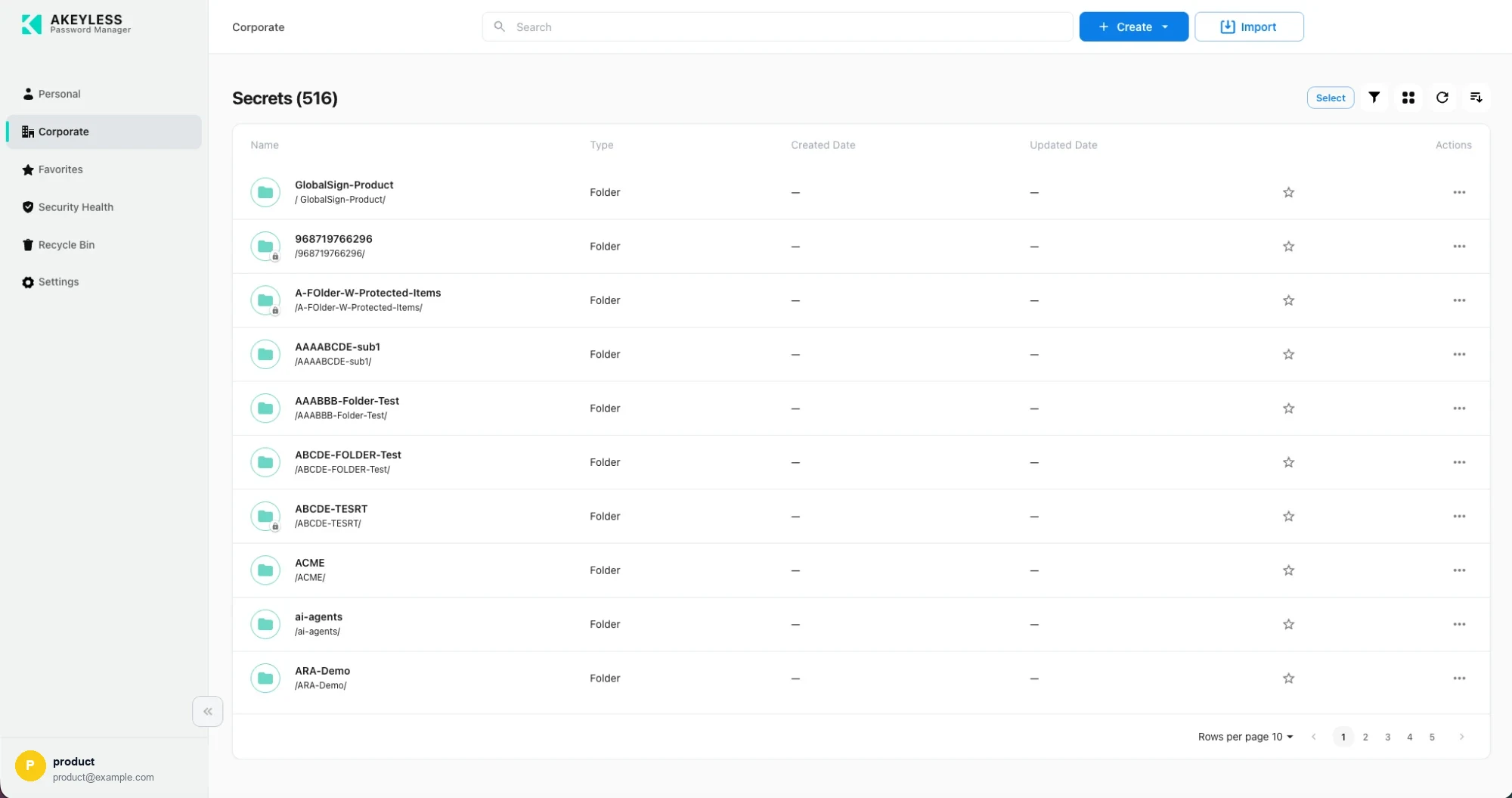
Folders in list view, with pagination
Folders show — for created and updated dates, since those belong to the items inside.
A lock badge on a folder marks delete protection.
Open a folder to descend into it; the breadcrumb at the top returns you.
Permissions
Each item carries the operations you are permitted on it. The console hides what you cannot do
rather than failing afterwards:
| Permission | Effect |
|---|---|
| read | You can open the item and copy its value |
| list | The item appears in lists and search |
| update | Edit appears in the ⋯ menu |
| delete | Delete appears in the ⋯ menu |
Shared items change under you
Lists are cached so the console loads quickly. A colleague's edit will not appear until you
select Refresh in the toolbar.
When the Corporate area is missing
Hidden when your vault access summary does not permit listing secrets. That is a vault
permission set by your administrator.
Related
Updated 21 days ago