
Offline Mode
Offline Mode keeps a chosen set of your personal passwords encrypted on this device, so
you can still read them while traveling, on an unreliable network connection, or when the Akeyless service is
unreachable.
It is off by default. Turn it on in Settings → Offline Mode → Set up Offline Mode…
Offline access is read-only. You can look at and copy the cached passwords. You cannot
create, edit, delete, share or import while offline — those need the live vault.
What gets cached
| Cached | Detail |
|---|---|
| Personal password items only | Chosen by you, item by item |
| Never Corporate items | Shared vault items are never written to disk |
| Never passkeys or files | Only password items |
You pick exactly which items. Nothing is cached that you did not tick.
Setting it up
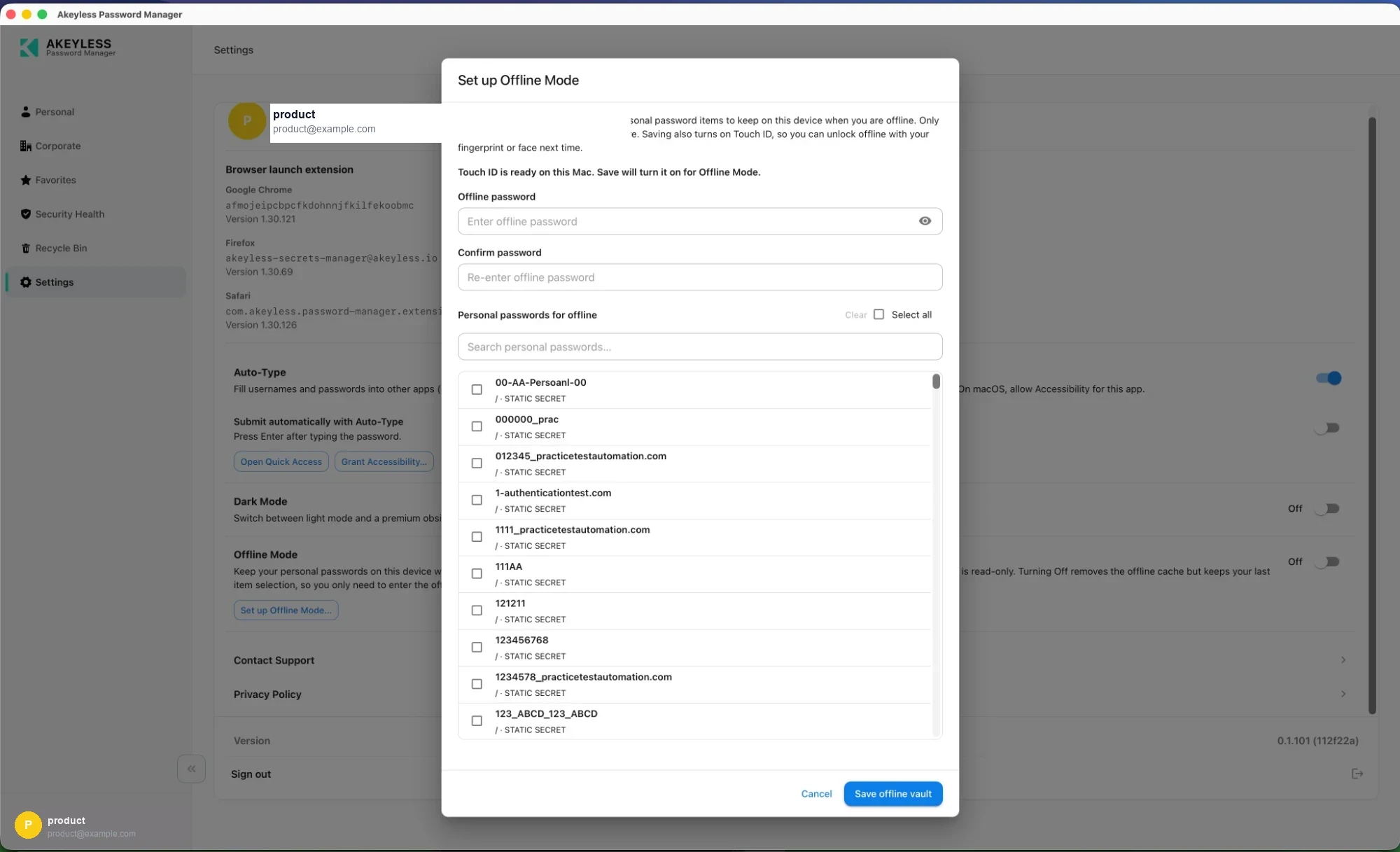
The setup dialog before anything is chosen
1. Choose an offline password
| Field | Notes |
|---|---|
Offline password | Unlocks the cache on this device |
Confirm password | Must match |
This is a separate password from your Akeyless sign-in, and it cannot be recovered.
It never leaves the device and Akeyless has no copy. If you forget it, turnOffline Modeoff
and set it up again — the cache is discarded, not recovered.
2. Choose which passwords to keep
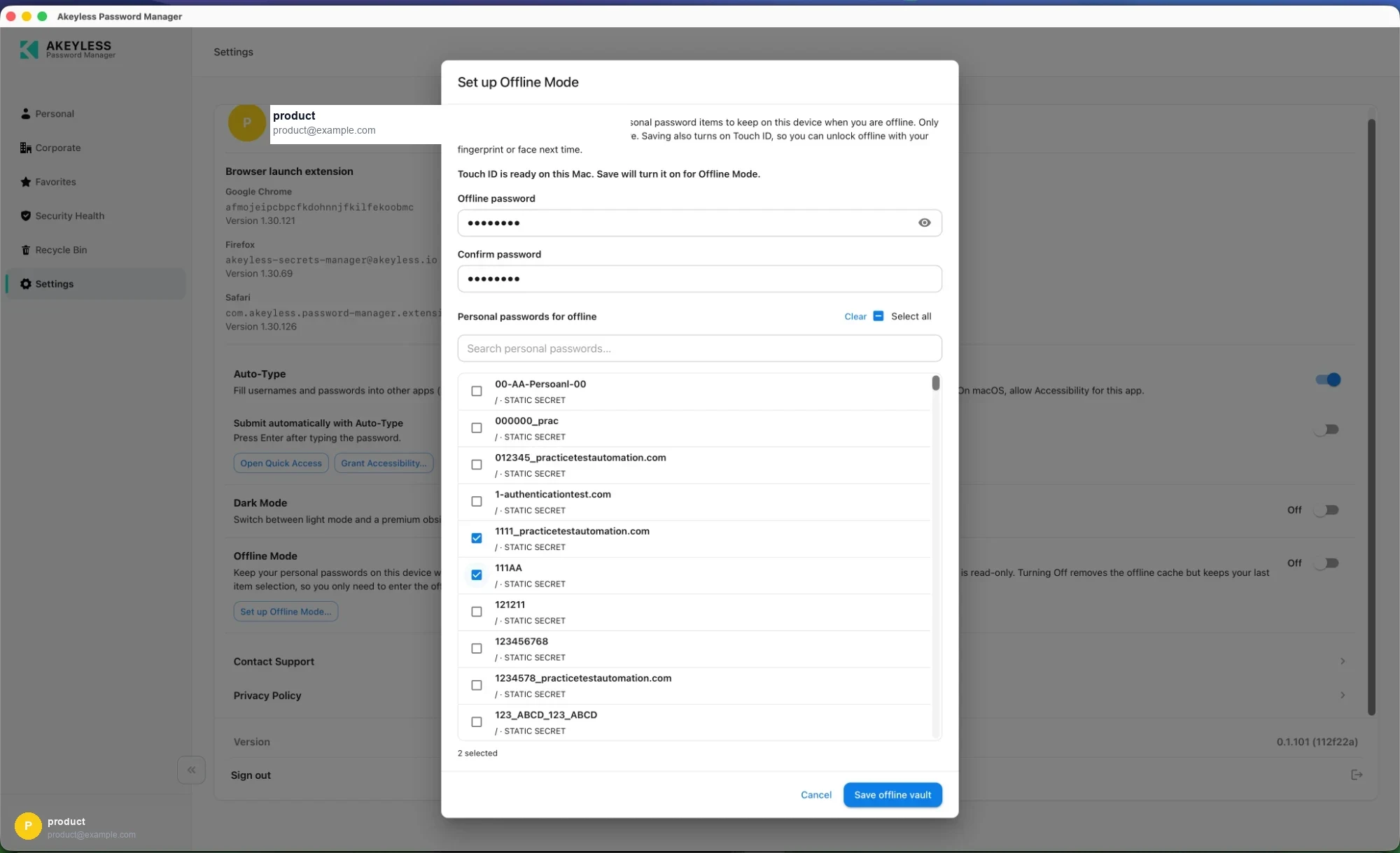
Two items selected, with Touch ID ready
The list shows your personal password items. Use:
| Control | Does |
|---|---|
| Search personal passwords… | Filters the list |
| Select all | Ticks everything shown |
| Clear | Clears every selection |
| Checkboxes | Pick individual items |
A counter at the bottom reads N selected.
Pick only the items you need without a network — your laptop login, your
VPN, your password manager for another system. Caching everything puts more on disk for no
real benefit.
3. Save
Save offline vault writes the encrypted cache and, where biometrics are available, enrolls
them. The dialog tells you before setup begins — Touch ID is ready on this Mac. Save will turn it on for
Offline Mode.
On success you are told how many items are ready and how you will unlock them next time.
How it is protected
| Layer | Detail |
|---|---|
| Key derivation | PBKDF2-SHA256, 310,000 iterations, with a random per-vault salt |
| Encryption | AES-GCM |
| What is encrypted | The whole item list — names, usernames and values together, as a single blob |
| On-disk index | Only an item count and opaque keys, so setup can show a count without unlocking |
| Biometric secret | The offline password is held in the macOS Keychain or under Windows Hello, not in the app |
Because the entire item list is one encrypted blob, somebody with the file cannot even see
which sites you have cached without the password.
Updating what is cached
Return to Settings → Offline Mode. The button reads Update password & items… once
Offline Mode is configured.
You must be signed in online to enable or update Offline Mode — the app has to read the
current values from the vault to cache them.
The cache is a snapshot. Change a password in the vault and the offline copy keeps the
old value until you update Offline Mode again. Re-run setup after rotating anything you rely
on offline.
Turning it off
Switch Offline Mode off. This:
- removes the encrypted cache from the device
- keeps your item selection, so re-enabling only asks for the password again
- clears the biometric material
Related
Updated 21 days ago