
Password Manager Mobile Application
Akeyless Password Manager for iPhone and Android puts your Akeyless vault in your pocket.
Browse your personal and corporate items, copy a password, add a new login, and fill saved
logins into Safari, Chrome and other apps with your phone's own AutoFill.
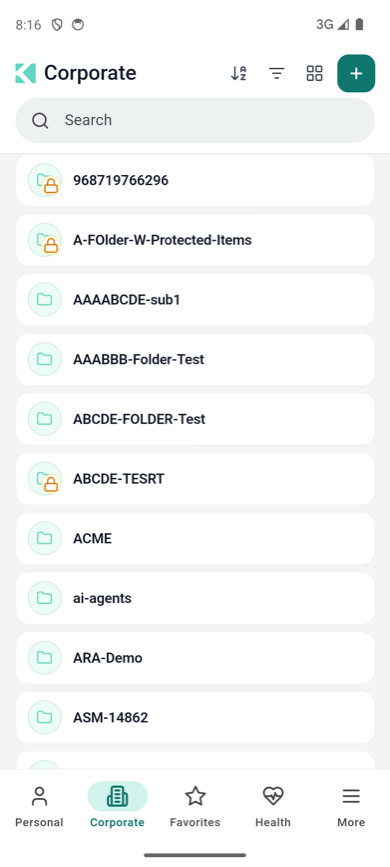
The Corporate area, with the tab bar along the bottom
Download
| Platform | Get the app | Requires |
|---|---|---|
| iPhone | Akeyless Password Manager on the App Store | iOS 15.0 or later |
| Android | Akeyless Password Manager on Google Play | Android 7.0 or later (AutoFill needs 8.0) |
The app is free. You need an Akeyless account to sign in — there is no sign-up inside the
app. See Installing the Mobile App.
Same vault, built for touch
The mobile app is the same Password Manager you use in the
web extension: the same
Personal and Corporate areas, the same item types and the same create and edit forms. What
changes is how you reach things — a tab bar instead of a side rail, swipe gestures instead of
hover buttons, and bottom sheets instead of menus.
Get started
| Page | What it covers |
|---|---|
| Installing the Mobile App | Store links, supported devices, first launch |
| Signing In on Mobile | Authentication methods, environments, single sign-on |
| Getting Around the App | Tab bar, search, sort, filter, folders |
Using your vault
- Viewing, Copying and Managing Items
- Creating Items and Generating Passwords
- One-Time Passwords: Scanning a QR Code
Signing in to other apps
Settings and help
Related products
Updated about 3 hours ago