
Corporate Secrets
Items shared across your organization. What you can see and do here is governed by your vault
permissions, not by extension settings.
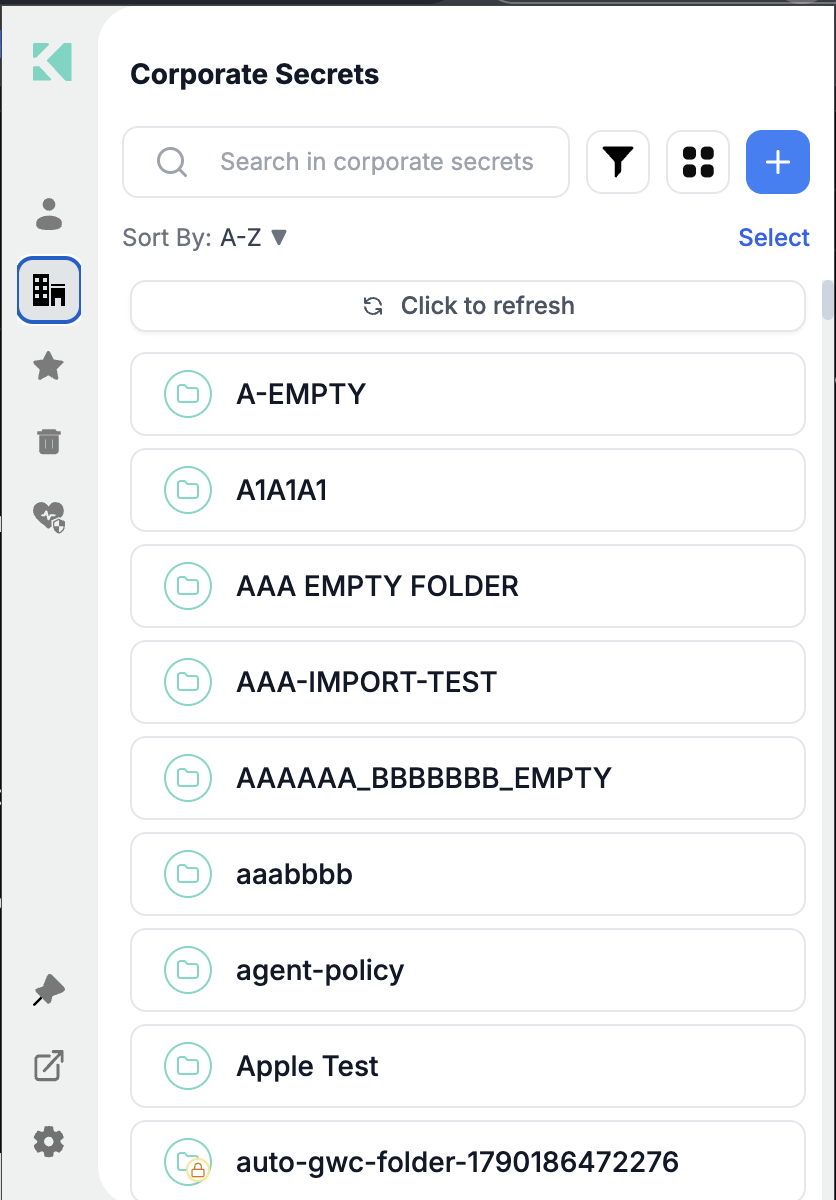
The Corporate area
What lives here
| Type | Notes |
|---|---|
| Password items | Shared logins |
| Secret items | API keys, connection strings, certificates |
| Rotated secrets | Rotated on a schedule by Akeyless; read-only |
| Dynamic secrets | Generated on demand, with producer status and TTL |
| Folders | Mirroring your team or environment structure |
Passkeys and file items are personal-only and do not appear here.
Creating in Corporate
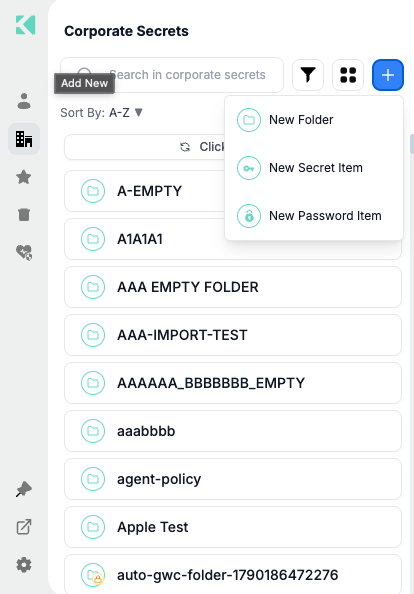
Corporate offers folders, secret items and password items
The Corporate create menu has three options — New Folder, New Secret Item and New
Password Item. New File Item is personal-only and does not appear here.
Permissions
Each item carries the operations you are permitted on it. The extension hides what you cannot
do rather than failing after the fact:
| Permission | Effect |
|---|---|
| read | You can open the item and copy its value |
| list | The item appears in lists and search |
| update | Edit appears in the ⋯ menu |
| delete | Delete appears in the ⋯ menu |
A lock badge marks delete-protected items, which cannot be deleted by anyone until the
protection is cleared.
Shared items change under you
Lists are cached so the extension opens instantly. A colleague's edit will not appear until
you select Click to refresh. The Last refreshed indicator tells you how stale the
list is.
When the Corporate tab is missing
The tab is hidden when your vault access summary does not permit listing secrets. That is a
vault permission set by your administrator — see
Account Policies Affecting the Extension.
Related
Updated 22 days ago