
Unlocking the Offline Vault
When the app starts without a connection — or you choose to work offline — it offers the
offline vault instead of the normal sign-in.
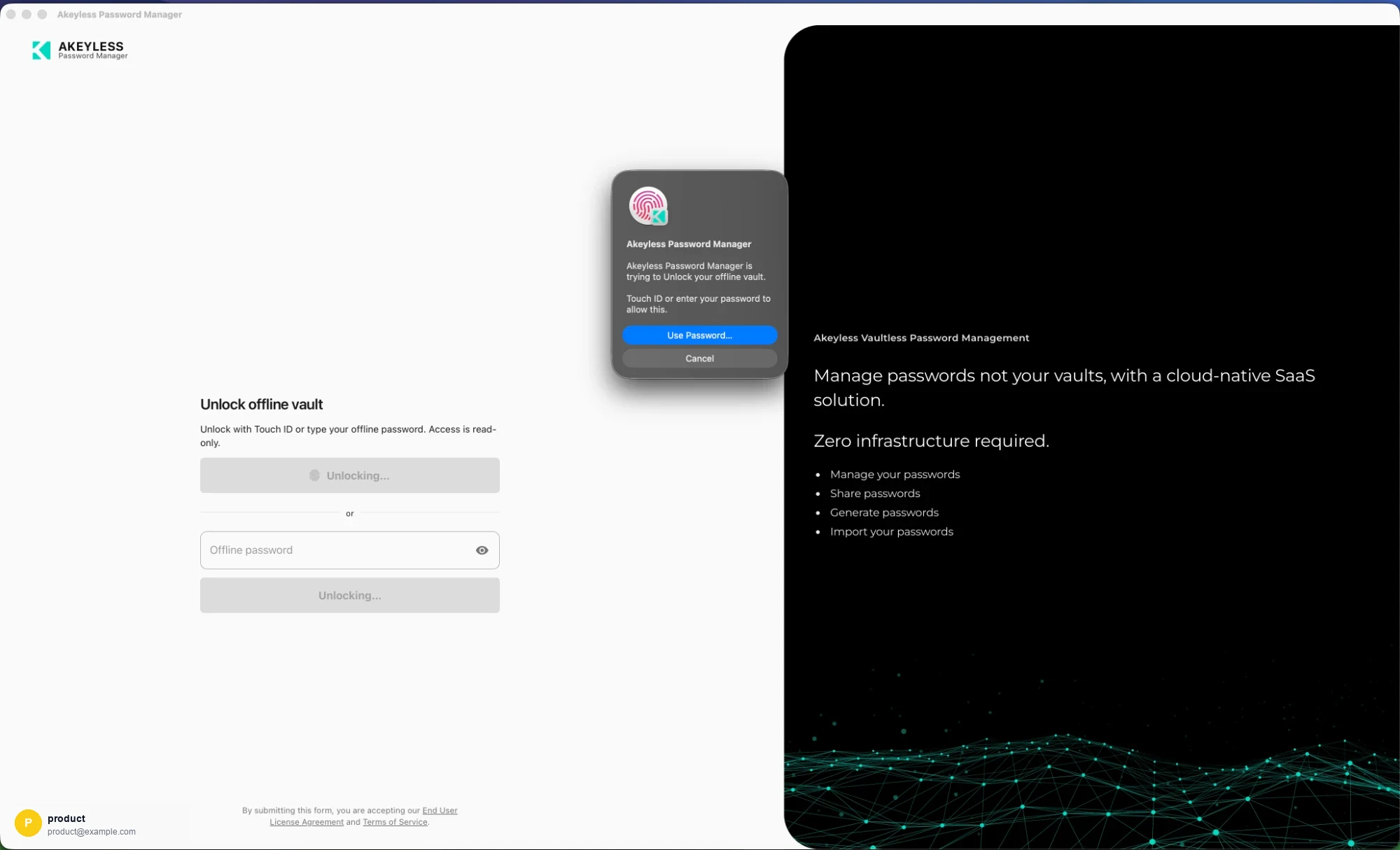
Unlock with Touch ID, or type the offline password
Two ways in
| Method | Notes |
|---|---|
| Touch ID / Windows Hello | Available if biometrics were enrolled during setup. The OS prompts; the app never sees your fingerprint |
| Offline password | The password you chose when setting up Offline Mode |
The screen states the constraint plainly: Unlock with Touch ID or type your offline password.
Access is read-only.
Biometrics unlock the stored offline password, they do not replace it. That is why the
password still matters — and why forgetting it means re-running setup even with Touch ID
working.
What the offline vault looks like
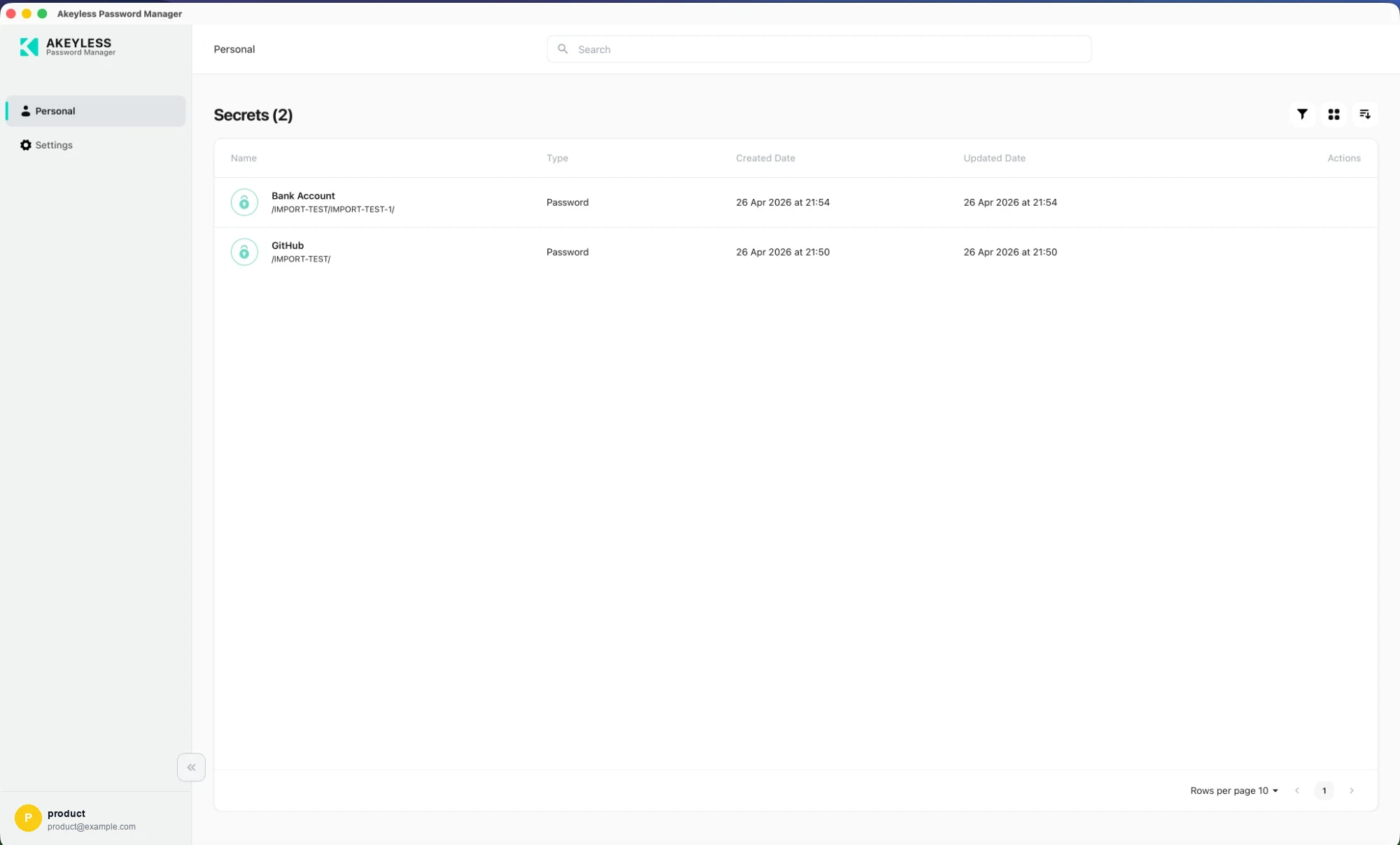
Only Personal and Settings, with Offline vault — Read-only in the footer
Two things change:
| Change | Detail |
|---|---|
| The sidebar shrinks | Only Personal and Settings. Corporate, Favorites, Security Health and Recycle Bin all need the live vault |
| The footer identifies the mode | Offline vault / Read-only, with an O avatar instead of your account |
Only the items you cached appear — the count in the heading reflects the cache, not your full
vault.
What you can do
| Can | Cannot |
|---|---|
| Browse the cached items | Create, edit or delete |
| Search and filter them | Share |
| Copy usernames and passwords | Import |
| Use list and card views | See Corporate, Favorites, Security Health or the Recycle Bin |
Going back online
Close and reopen the app with a connection, and sign in normally. The full vault returns and
the offline cache stays as it is until you update or disable it.
Troubleshooting
| Symptom | Cause |
|---|---|
| No Touch ID button | Biometrics were not enrolled at setup, or the build is not signed for it. Use the offline password, then re-run setup |
| Password rejected | Offline password is separate from your Akeyless sign-in, and is case-sensitive |
| Password forgotten | It cannot be recovered. Sign in online, turn Offline Mode off, and set it up again |
| An item is missing | It was not ticked at setup, or it is a Corporate item — those are never cached |
| A password is out of date | The cache is a snapshot. Sign in online and update Offline Mode |
Related
Updated 21 days ago