
Recycle Bin
Deleting is reversible. Items are moved out of the normal areas into the Recycle Bin, where
they stay until you purge them.
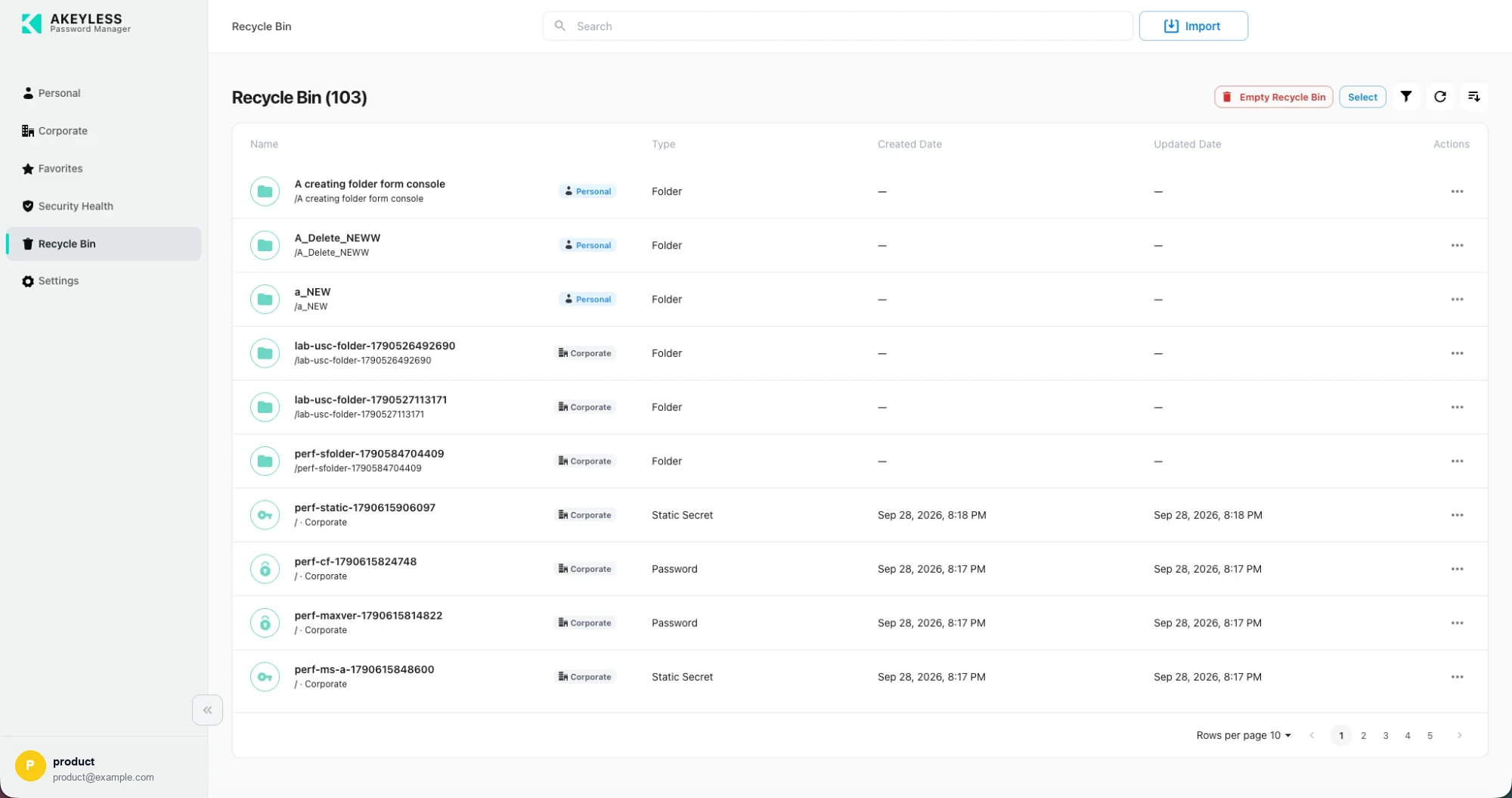
103 deleted items, from both Personal and Corporate
What the list shows
| Column | Shows |
|---|---|
| Name | Item name with its original path, so you can tell duplicates apart |
| Scope badge | Personal or Corporate — where it came from |
| Type | Folder, Password, Static Secret, and so on |
| Created Date | — for folders |
| Updated Date | When it last changed before deletion |
| Actions | The ⋯ menu |
The heading shows the total, and the list paginates like any other area.
Actions
| Action | Where | Effect |
|---|---|---|
| Restore | ⋯ menu, or multi-select | Returns the item to its original folder |
| Delete | ⋯ menu | Removes one item permanently |
| Empty Recycle Bin | Toolbar, red | Removes everything permanently |
Empty Recycle Bin cannot be undone, and it takes both Personal and Corporate items in one
action. Nothing forces you to empty it — if you are unsure, leave it.
Restoring several at once
Select Select, tick the items, then restore or delete them together.
Folders
Deleting a folder takes its contents with it. Restoring the folder brings them back in their
original structure.
Searching
Search filters the bin. Use it to find one deleted item among hundreds rather than paging
through.
What deletion affects while an item sits in the bin
| Effect | Detail |
|---|---|
| Lists and search | The item is gone from Personal and Corporate |
| Favorites | The star is removed, and restoring does not re-apply it |
| Autofill | The extension stops offering the credential |
| Security Health | The item drops out of the metrics |
| Share links | Existing links stop resolving |
Delete protection
Items with delete protection never reach the Recycle Bin — they cannot be deleted at all.
Edit the item, turnDelete protectionoff, save, then delete.
Related
Updated 21 days ago